Write nothing.Approve everything.

One human decision per month.

Google Search Console for vexp.dev: 4.67K clicks, 152K impressions, 3.1% average CTR and 9.4 average position from 25 February to 30 August 2026.
Google Search Console: 4.67K clicks, 152K impressions, 3.1% average CTR, position 9.4.
  • 4.67KGoogle clicks, six months
  • 3.3KAI citations, six months
  • 3.1%Google CTR

Data from vexp.dev, Google and Bing consoles, last six months to 30 August 2026.

No card required. Stored in the EU.

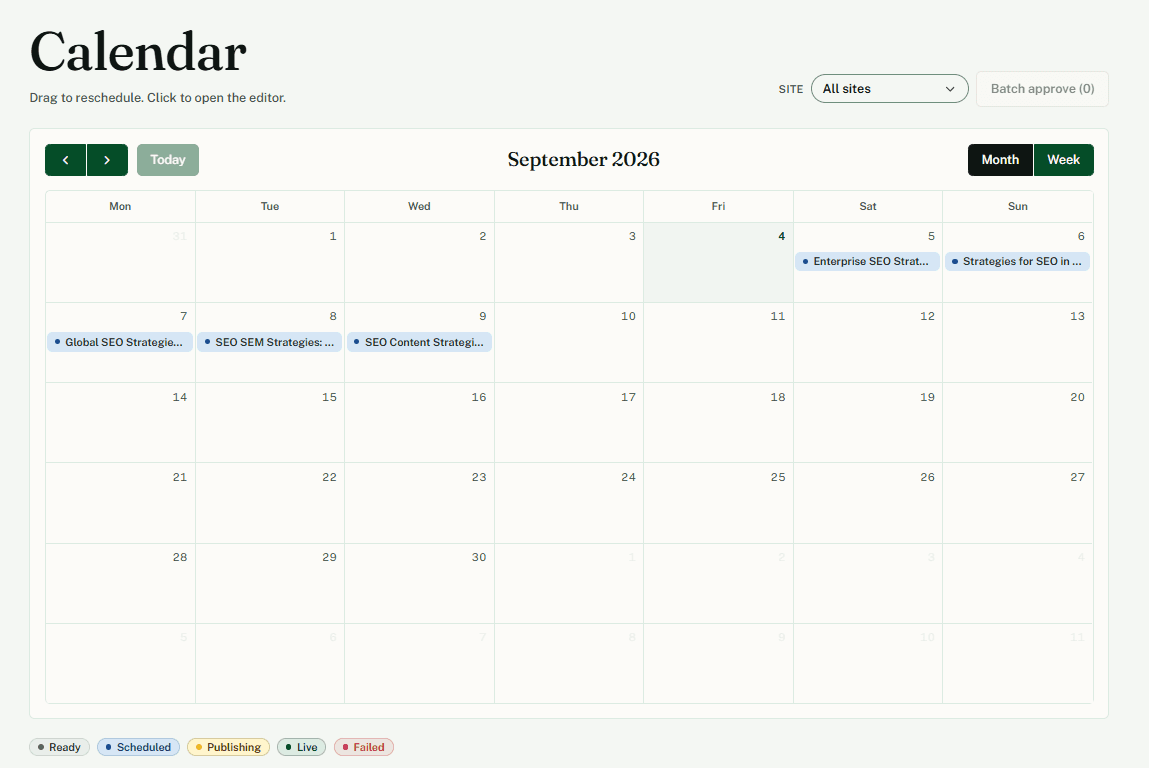
A month of articles, already scheduled.

Quibo plans the month from the keywords you picked, writes a draft for every slot and holds each one until you approve it. Then it publishes on the day it was scheduled.

Quibo month calendar showing 30 scheduled articles, one per weekday slot, with draft, approved and published states.
  • Thirty slots, one per keyword you approved

    Quibo spreads the month's articles across the calendar. Auto-distribute fills it in one click.

  • Drag to reschedule

    Move an article to another day and the publish job moves with it.

  • Status at a glance

    Draft, approved, scheduled, published. Nothing goes live without your approval.

Three steps. One of them is yours.

Connect, pick, approve. Quibo runs the sixteen-step pipeline in between.

  1. 01

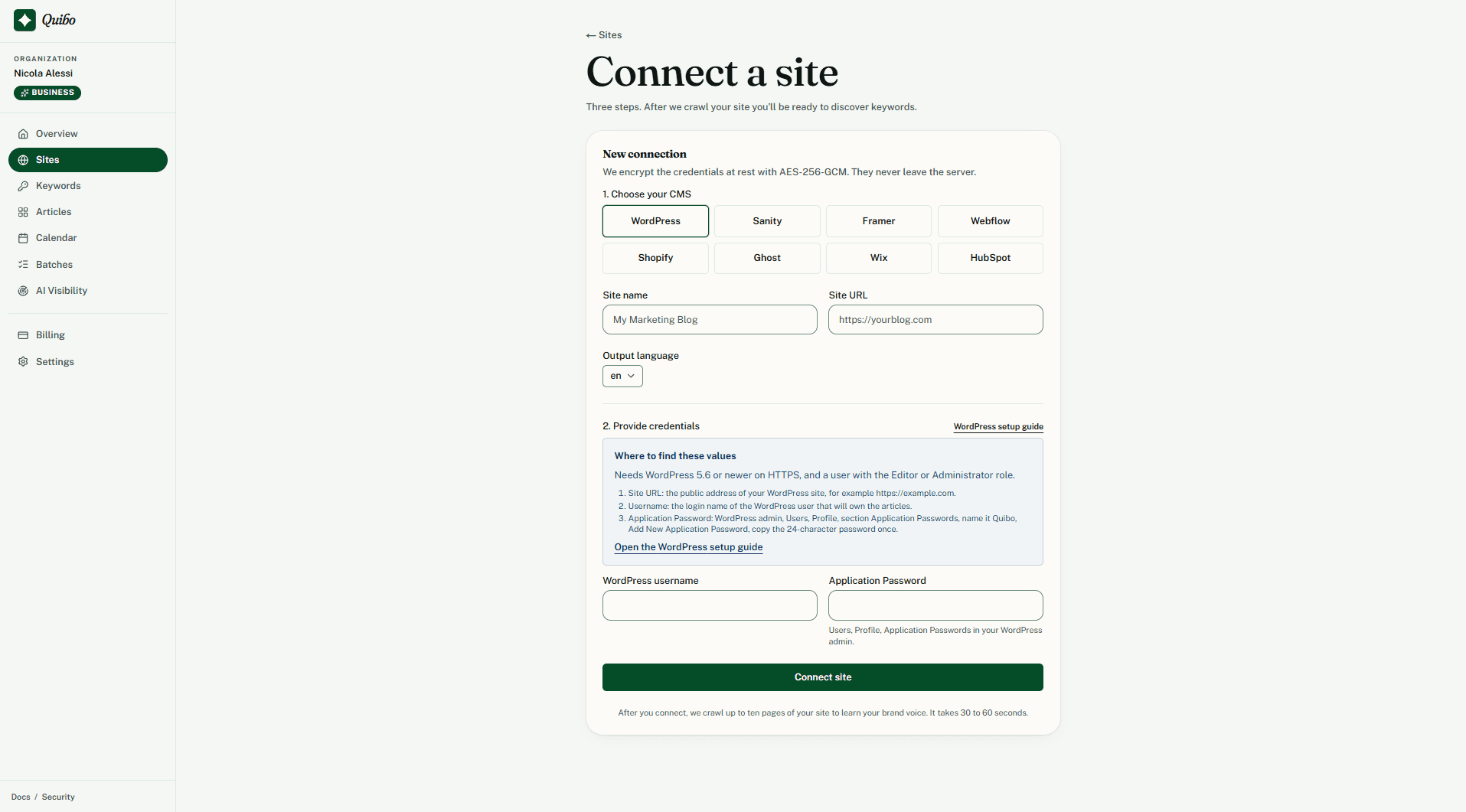
    Connect your site

    WordPress, Shopify, Webflow, Wix, Ghost, HubSpot, Sanity or Framer. Quibo reads your existing pages and builds a brand voice profile you can edit at any time.

    Quibo connect-a-site screen with the eight CMS options (WordPress, Shopify, Webflow, Wix, Ghost, HubSpot, Sanity, Framer) and the brand voice profile it built.
  2. 02

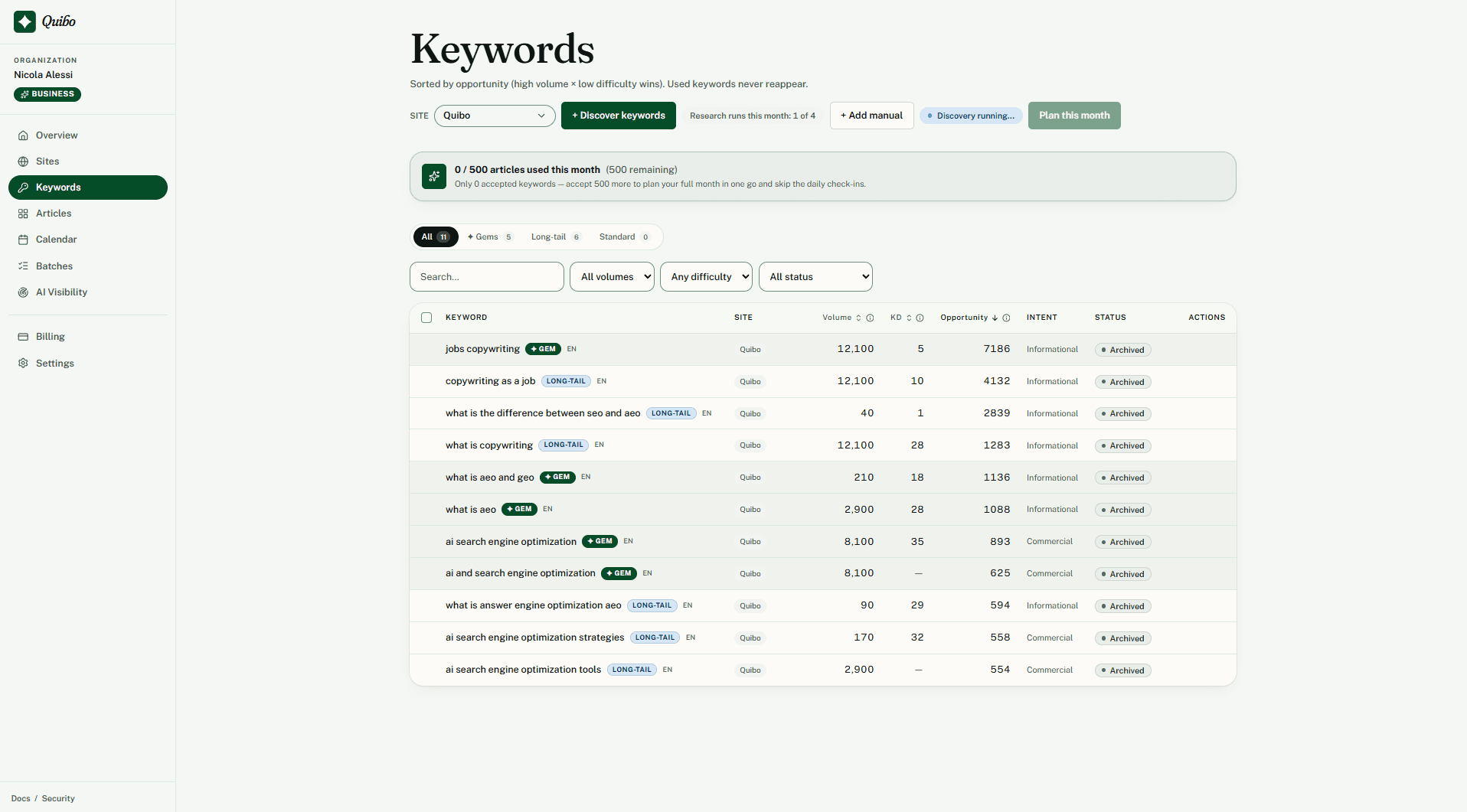
    Pick your keywords

    Review a ranked list of candidates, traffic against difficulty, and tick the ones you want. Thirty picks take about ten minutes.

    Quibo keyword table ranked by traffic against difficulty, with 30 keywords ticked for the month.
  3. 03

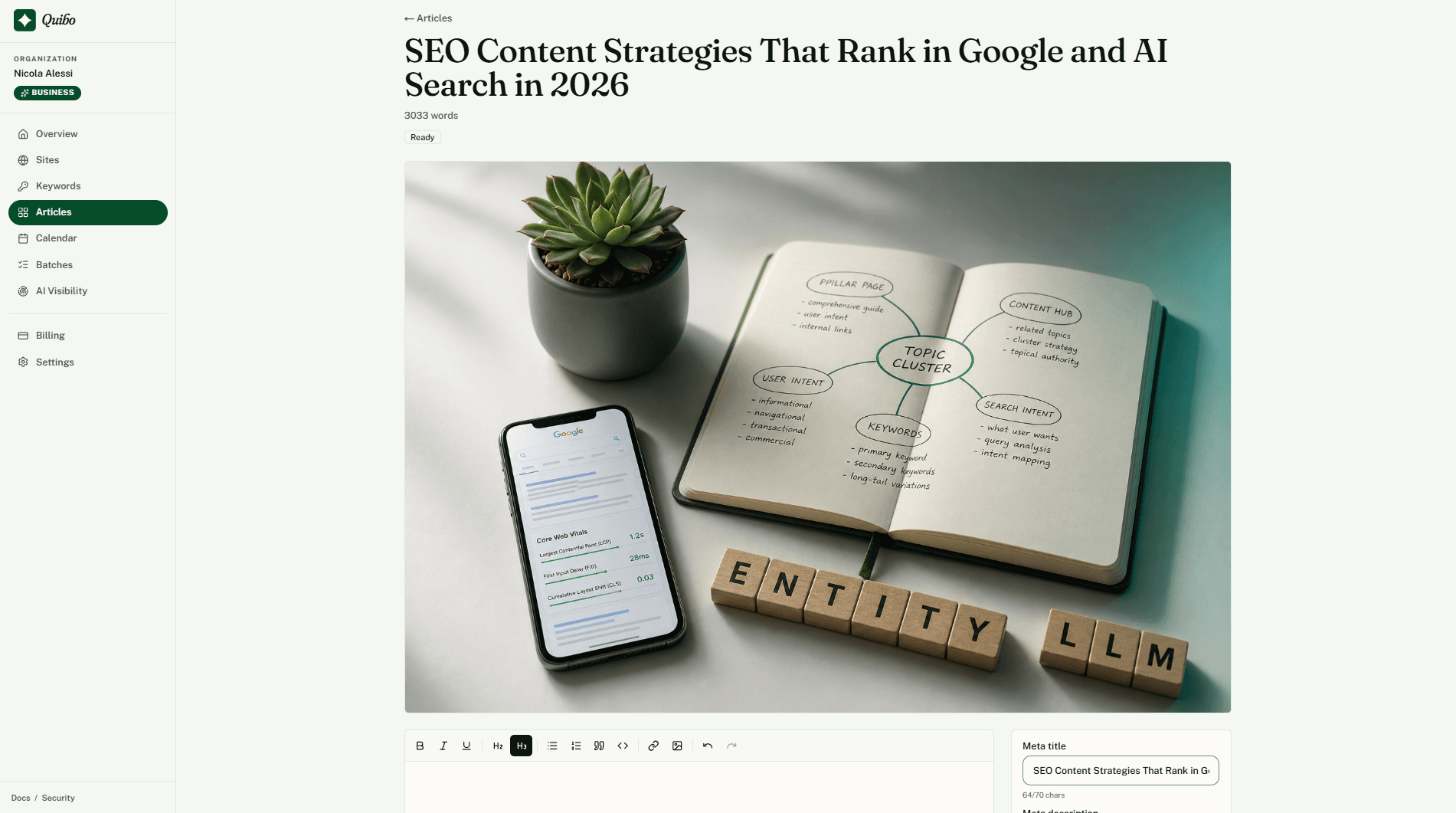
    Approve, then publish on schedule

    Drafts are ready within about 90 minutes. You read each one in the editor and approve it; Quibo publishes it on its calendar day. Nothing goes live without your approval.

    Quibo article editor with the approve button, SEO checks and the scheduled publish date.

What a published article looks like.

Built to rank everywhere: every article ships with the structure search engines and AI answer engines look for, and it says how it was made.

Example article for a developer-tools site

How does a code index cut an AI coding agent's context cost?

Published 14 August 2026. 6 min read.

Cover image, generated for this article

What does a context-aware agent actually read?

It reads the handful of files an index ranks as pivots for the task, typically four to six, instead of walking the tree. On a repository of 40,000 files that cuts the tokens spent on orientation by roughly 90%, and it makes the agent's first edit land in the right place far more often.

In the page head

<title>How does a code index cut an AI agent's context cost?</title>
<meta name="description" content="A code index ranks the few files that matter for a task, so an AI coding agent reads 5 files instead of 500. What that changes in cost and accuracy.">

Structured data

{
  "@context": "https://schema.org",
  "@graph": [
    {
      "@type": "Article",
      "headline": "How does a code index cut an AI coding agent's context cost?",
      "contentRating": "AI-generated, human-reviewed",
      "image": "/covers/code-index-context-cost.webp"
    },
    { "@type": "FAQPage", "mainEntity": [ ... ] },
    { "@type": "BreadcrumbList", "itemListElement": [ ... ] }
  ]
}

What each number on the page marks

Six signals, shipped with every article. The numbers match the ones on the example.

  1. Question headings

    Each H2 is a question people actually search. The answer follows immediately.

  2. Answer-first paragraphs

    The first sentence under every heading answers it. That is the sentence AI engines quote.

  3. JSON-LD @graph

    Article, FAQPage and BreadcrumbList in one graph, generated from the article itself.

  4. Meta title and description

    Written to the length limits, with the keyword where it counts.

  5. Cover image

    Generated for the article, on brand, delivered with the post. No stock photos.

  6. AI marking

    contentRating: AI-generated, human-reviewed. Declared in the markup, not hidden.

The math, before the price.

Set your volume and what a writer costs you per hour. The assumptions stay on screen.

30
1500
$50 an hour
20150

Assumes 6 hours per article for research, writing, optimisation and formatting. Writer time at your rate: $9,000 a month.

Estimated saving

$8,911a month

$106,932 a year. Quibo Starter at $89 a month covers 30 articles.

An estimate based on the assumptions shown, not a forecast of results.

Pick a monthly cadence. Cancel any time.

Every plan: all connectors, all languages, calendar, brand voice. Articles ready within about 90 minutes.

Solo

One site, ten articles a month. The blogger cadence.

$31a month

Billed $374 a year. Save $94.

  • 10 articles a month
  • 1 site
  • 1 seat
  • 50 keywords a month
  • All connectors, all languages
Start Solo

Starter

About an article a day across up to three sites.

$71a month

Billed $854 a year. Save $214.

  • 30 articles a month
  • 3 sites
  • 3 seats
  • 150 keywords a month
  • Search Console report
Start Starter

Growth

Most popular

Compounding volume for teams and small agencies.

$151a month

Billed $1,814 a year. Save $454.

  • 75 articles a month
  • 8 sites
  • 8 seats
  • 375 keywords a month
  • Content refresh
  • Priority generation queue
  • Everything in Starter
Start Growth

Need more? Packs of 10, 30 or 100 articles from $29, on every plan.

For agencies and teams

A note from the founder

I built Quibo because I was the customer. I run vexp.dev, a developer-tools site that needed thirty SEO articles a month. Writers wanted $200 to $500 a piece. Every AI tool handed me a text box and half a million characters of credits, then left the research, the schema, the images and the publishing to me. So I built an engine that does the whole job and asks me one thing: approve it, or not.

It works. In six months vexp.dev collected 4.67K Google clicks at a 3.1% click-through rate, 3.3K citations in AI answer engines and 15.7K impressions in Google's new AI features, all on a public Search Console. Every one of those articles was researched, written, illustrated and published by the engine on this page, and reviewed by me before it went live.

That is what Quibo gives you: the same engine, pointed at your sites, with the writing removed and the decision kept. Connect your CMS, pick your keywords, approve the month. The first article is free and lands on your own site, so you judge the output on your traffic, not on my word.

Reply to any email I send you. Every reply lands in my inbox, and I read all of them.

Nicola, founder

Start free. One article.

vexp.dev numbers from Google and Bing consoles, last six months to 30 August 2026. One site, not a guarantee.

Boring, secure choices.

  • Stored in the EU. Database in Stockholm, app in Frankfurt, jobs in Amsterdam. AI partners are listed on the security page.
  • GDPR, CCPA, LGPD. Self-service export and deletion.
  • AES-256-GCM. CMS credentials are encrypted at rest and never shown again, not even to us.
  • AI use declared in the markup, as helpful-content guidelines ask.

Read the security page

Questions, honestly answered.

Will the articles sound like me?
Yes. When you connect your site we learn your tone, audience and typical phrasing from your existing pages, and reuse that across every article. You can edit the brand profile any time.
How fast is generation?
Within about 90 minutes for a full month of drafts, on every plan. You schedule them on the calendar however you want, and nothing publishes until you approve it.
Will Google penalize AI-assisted content?
Nobody can promise that, and we do not. Google's guidelines evaluate whether content is helpful, not how it was produced. Quibo declares AI use in the structured data of every article (contentRating: AI-generated, human-reviewed) and every article is reviewed by a person before it publishes. For scale: our sister site vexp.dev, which runs the same engine, recorded 4.67K clicks at a 3.1% Google CTR between 25 February and 30 August 2026 (Google Search Console). One site's result, not representative and not guaranteed.
Does this rank in AI search engines (ChatGPT, Perplexity)?
It is built for it. Question-formatted H2s, answer-first paragraphs and FAQPage schema are what answer engines quote. vexp.devrecorded 3.3K citations in AI answer engines between March and August 2026 (Bing Webmaster Tools) and 15.7K impressions in Google's AI features report between 18 May and 30 August 2026 (Search Console). One site's result, not representative and not guaranteed.
What if I don't like an article?
Edit it in the editor, regenerate it, or delete it. Articles only publish when you approve them; nothing goes live without your review.
Which CMSs work?
WordPress, Shopify, Webflow, Wix, Ghost, HubSpot, Sanity and Framer. Each one connects with a key you paste once; Quibo discovers your fields and authors and publishes straight into the CMS.
Can I cancel?
Yes. Plans are month-to-month, or annual at 20% off. When you cancel, your account stays usable until the end of the billing cycle, then drops to the Free plan (or to your lifetime license if you have one). Unused article packs stay in your account, as do your articles, keywords and brand profiles.
Do you support languages other than English?
The interface is in English. Articles are written in your site's language: English, Italian, Spanish, German, French, Portuguese (Brazil), Dutch, Polish and Japanese. The brand profile picks the language up from your existing pages, so the output is native, not translated.

One free article. Your CMS. Decide on day two.

If one free article is not worth five minutes of setup, the rest of the plan will not be either. No card.